
MinutesMax / Meetings to next steps
Keep the conversation moving forward.
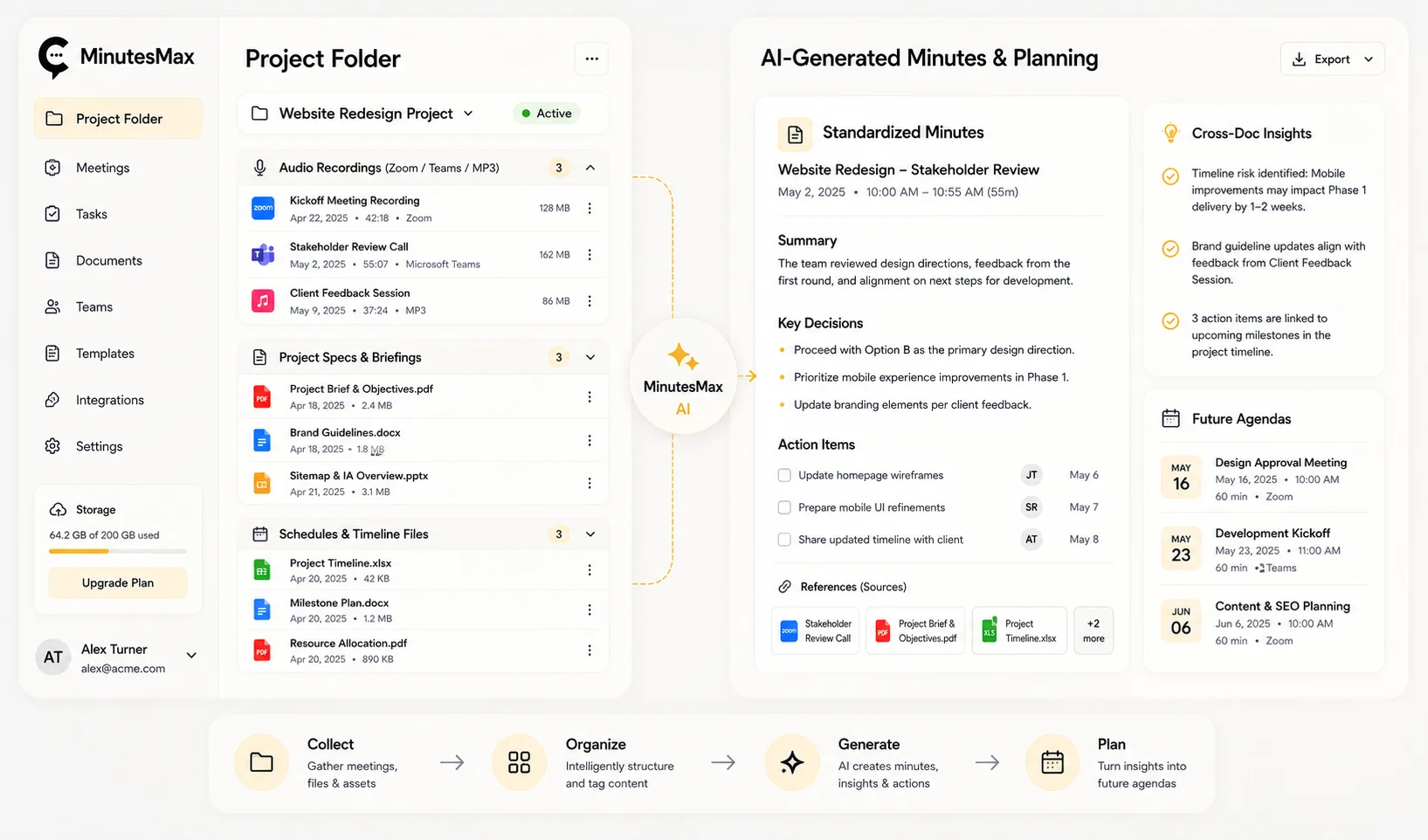
MinutesMax brings recordings, transcripts and project documents into one meeting workflow. Prepare draft minutes, review decisions and action items, and build context for the next meeting.
The product
What is MinutesMax?
A meeting-support platform that connects recorded conversations with project context. Your team reviews the resulting notes before using or sharing them.
Organise by project
Keep the relevant audio and supporting documents together.
Draft useful minutes
Turn a recording into a starting point for structured meeting notes.
Prepare the follow-up
Review actions and unresolved topics before the next session.
How it works
See how a discussion becomes review notes.
An illustrative example: transcribe recorded speech and organise it into notes for a person to check. The demonstration is not a live interface or a promise of error-free transcription.
Confirm recording permission
Use an authorised recording and clarify who may access it. Provide relevant project context without including unnecessary sensitive information.
Assign a reviewer
Check names, decisions and action items against the recording. Resolve unclear passages before sharing the notes.
Agree the follow-up
Confirm owners, dates and the sharing format. Decide how outstanding topics should inform the next meeting.
Project context
One folder. The context around the meeting.
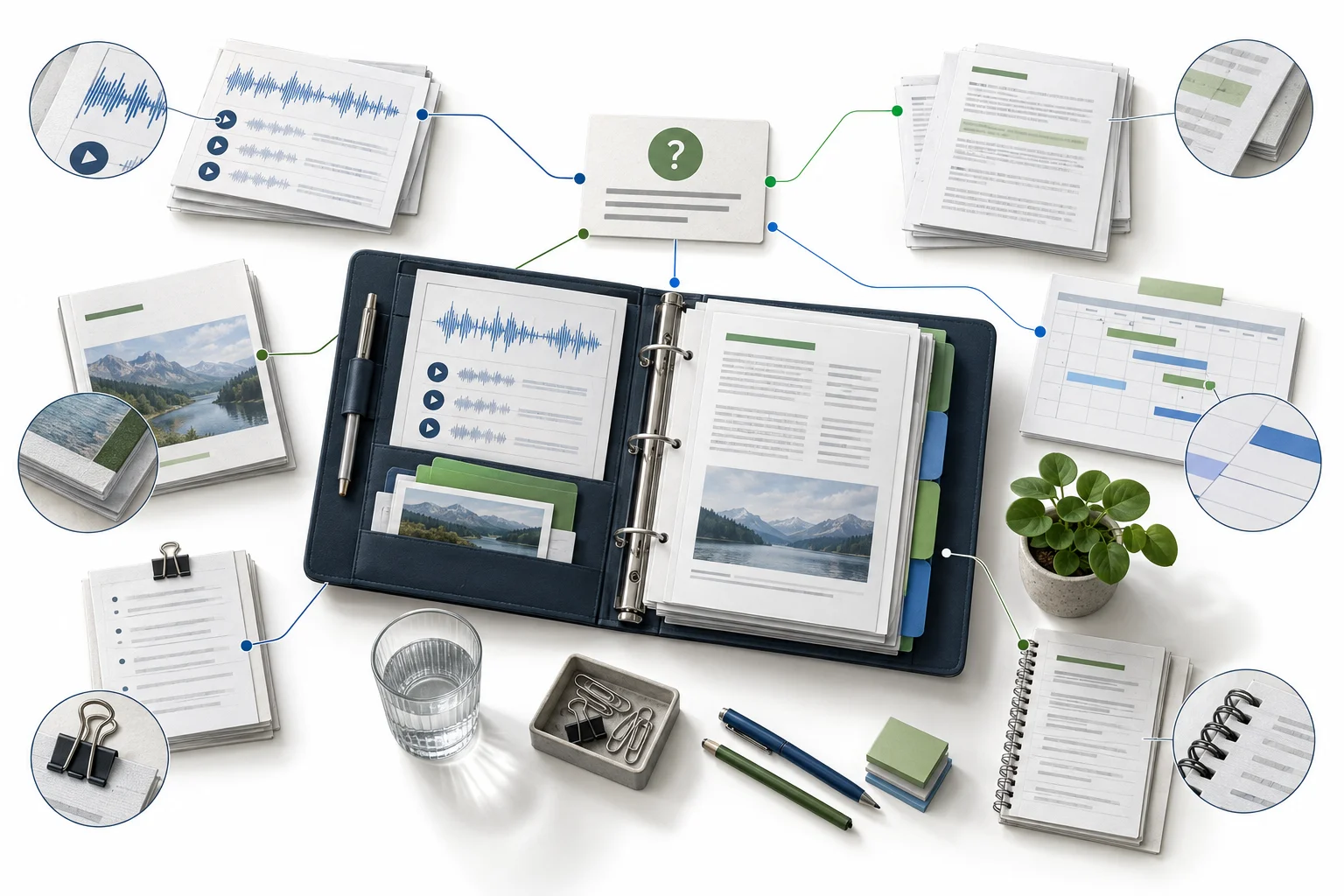
Project folders bring supporting material alongside meeting records for cross-document questions and follow-up.
Recordings and transcripts
Retain the source context needed to check a draft.
Briefs and schedules
Include relevant project material when preparing questions.
Cross-document review
Explore relationships between discussions and documents, then verify the answer.
Where it helps
A repeatable rhythm for project teams.
Examples for a focused demonstration, rather than claims of completed deployments.
Project meetings
Review decisions and outstanding work.
Internal coordination
Prepare consistent notes for colleagues.
Recurring reviews
Carry unresolved topics into the next agenda.
Human review
Drafted by AI. Confirmed by your team.
Keep recording permissions, distribution and final approval in your existing meeting process.

Check what was said
Correct names, terminology and uncertain passages.
Confirm commitments
Do not treat a suggested owner or deadline as an agreed commitment.
Control access
Agree who may upload, review, share and retain the meeting material.
Questions & answers
Before you get started.
What is MinutesMax used for?
MinutesMax supports transcription, draft meeting minutes and follow-up using recordings and project documents.
Does a live bot need to join the meeting?
The existing workflow supports uploaded recordings. Confirm supported file types and limits for your setup.
Can it use our minutes template?
Bring your preferred template to the demonstration so its structure and required fields can be assessed.
Can it prepare the next agenda?
It can help draft an agenda using project schedules and unresolved topics. Review the draft before circulating it.
Are transcripts and action items always accurate?
No. Audio quality, terminology and context can affect output. Check important statements, owners and dates against the source.
How do we arrange a demonstration?
Contact i2 with a non-sensitive sample recording, a minutes template and an outline of your meeting process.
Related products


 Contact Us Now