
DocSnap / Documents to data
Turn paperwork into usable records.
DocSnap helps teams extract structured information from scanned forms, PDFs and document images. Choose an extraction approach, check the results and prepare records for your operational workflow.
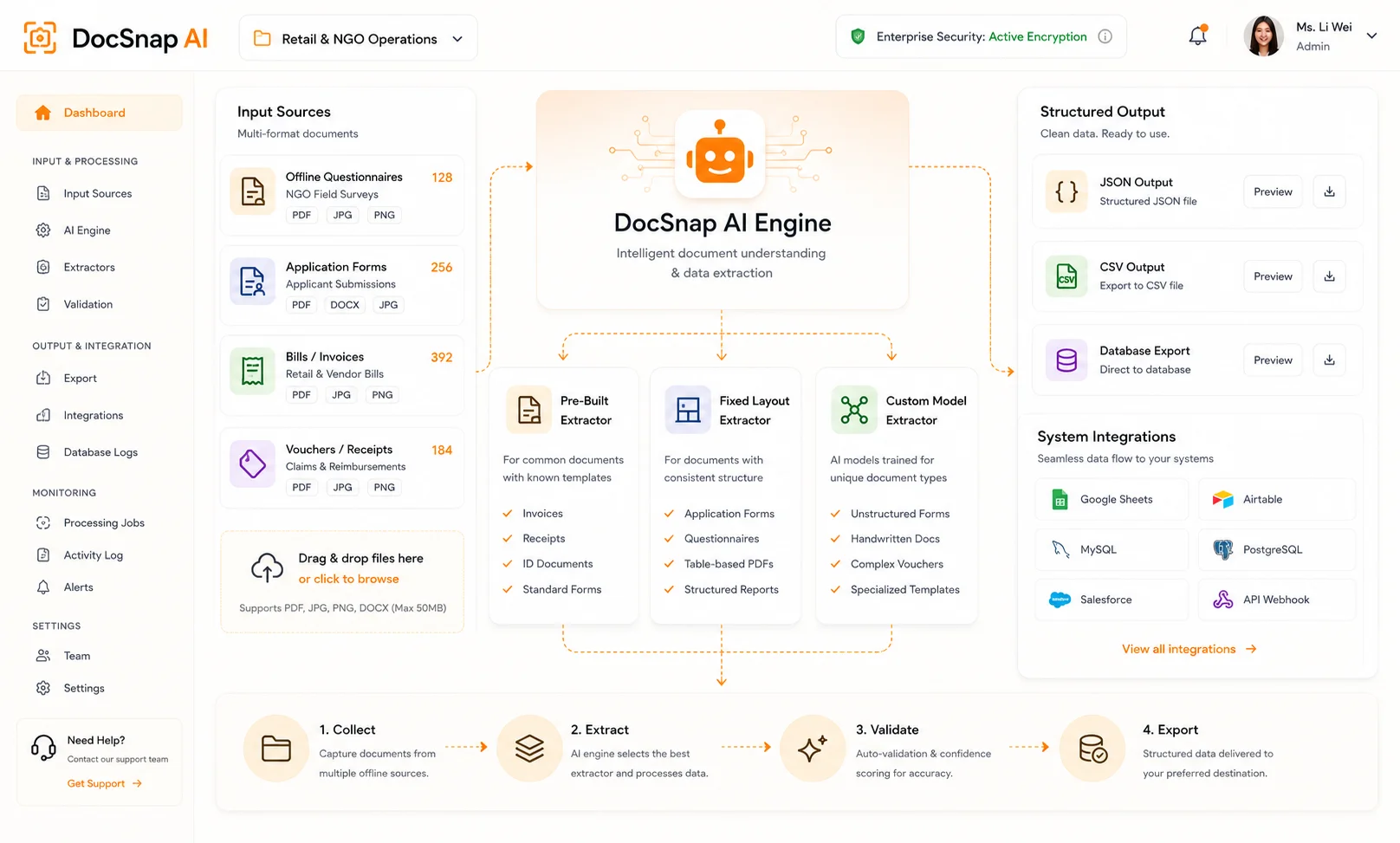
The product
What is DocSnap?
An intelligent document-processing platform for the forms and records your team handles every day. It brings document extraction into a reviewable workflow.
Start with existing documents
Use samples of the forms, invoices or questionnaires your team receives.
Define useful fields
Agree which values your workflow needs, including required fields and validation rules.
Keep a review step
Check extracted information against the original before relying on it.
How it works
See how a document becomes a record.
An illustrative example: identify fields in a document, flag a value for review and organise the checked information for the next step. Not a live product screen.
Prepare your documents
Provide clear, non-sensitive samples and specify the fields you need. Include different layouts when planning a pilot.
Agree the review rules
Assign a reviewer to compare uncertain or missing values with the source. AI-assisted extraction does not replace this check.
Choose the destination
Confirm the output format and the receiving system before arranging an integration.
Extraction models
Choose the approach that fits your documents.
DocSnap offers pre-built, fixed-layout and custom extraction approaches. Test representative documents before choosing.
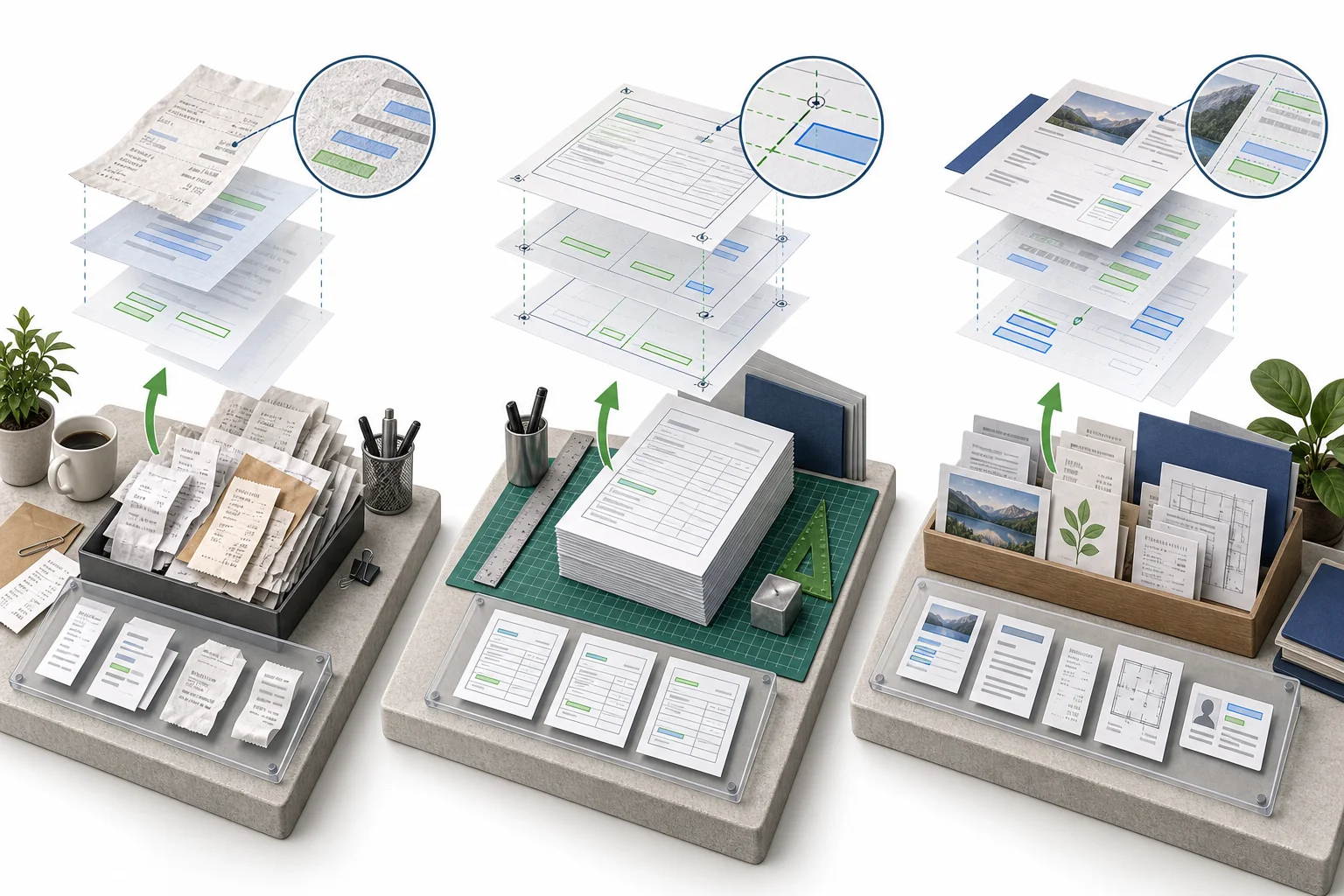
Pre-built extraction
A starting point for common document categories such as bills and receipts.
Fixed-layout extraction
For repeatable forms whose fields stay in consistent positions.
Custom extraction
For organisation-specific layouts. Confirm sample requirements and performance during a pilot.
Where it helps
Less re-keying. A clearer handover.
Example applications to scope with your team; these are not measured customer results.
Service intake
Prepare paper application and questionnaire data for review.
Finance administration
Extract invoice and voucher information for checking.
Operational records
Structure recurring forms for your existing reporting process.
Review & control
Make validation part of the workflow.
Agree document access, processing arrangements and review responsibilities before uploading confidential records.

Source comparison
Review uncertain fields alongside the original document.
Deployment boundaries
Confirm storage, retention, processing providers and deletion arrangements.
Representative testing
Include difficult layouts and poor-quality scans when assessing suitability.
Questions & answers
Before you get started.
What does DocSnap do?
DocSnap extracts fields from documents into structured records for review and onward use.
Can we use paper forms?
Use scans or photos of your forms. Image quality affects extraction, so test representative samples.
Which extraction model should we choose?
Use pre-built models as a starting point for common documents, fixed-layout extraction for stable forms, and discuss custom extraction for other layouts.
Does every result need checking?
Define checks based on the consequences of an error. Important records should be validated against the source before use.
Can it connect to our existing system?
Share your required output format and target system. Integration scope and availability need confirmation.
How should we start?
Contact i2 with non-sensitive samples, the fields you need and your current review workflow. We can scope a demonstration and pilot.
Related products


 Contact Us Now